
Focus Mode
Focus Mode gives you a calm full-screen space for writing, removing distractions while letting you personalize the experience with sound, typography, centered scrolling, dimming, and subtle session feedback.

A distraction-free view for the same document
Focus Mode works with the same document you’re already writing in. Launch it from the sidebar, write without distractions, and return to the same text when you leave.
- Enter and exit instantly
- Start Focus Mode from the sidebar, leave whenever you want with the exit button or Esc, and jump right back into the same piece of writing.
- Subscriber-only access
- Focus Mode is a premium feature. If you do not have a subscription, it appears as a locked option in the sidebar.
- Rich-text writing
- The writing space feels simpler and quieter, while still giving you access to text formatting through the bubble menu when you need it.
- Floating controls that fade away
- The header and footer reveal themselves when you move the mouse, then quietly auto-hide so the page feels like uninterrupted paper instead of software.
A closer look at the experience
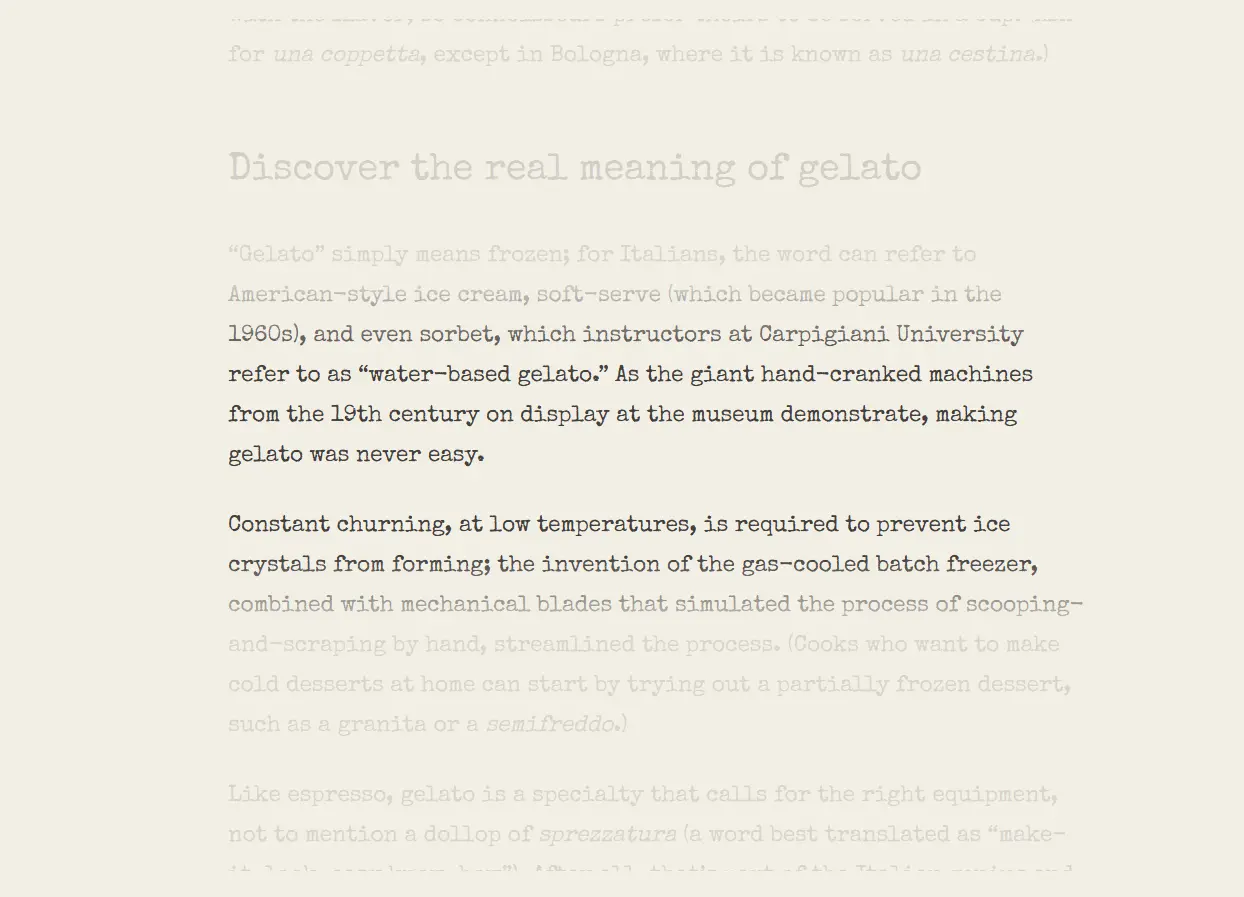
Focus Mode has more moving parts than a simple fullscreen toggle, so this page gives it a fuller visual tour: the writing canvas, the settings panel, the floating footer, and the session wrap-up.
Focus Settings
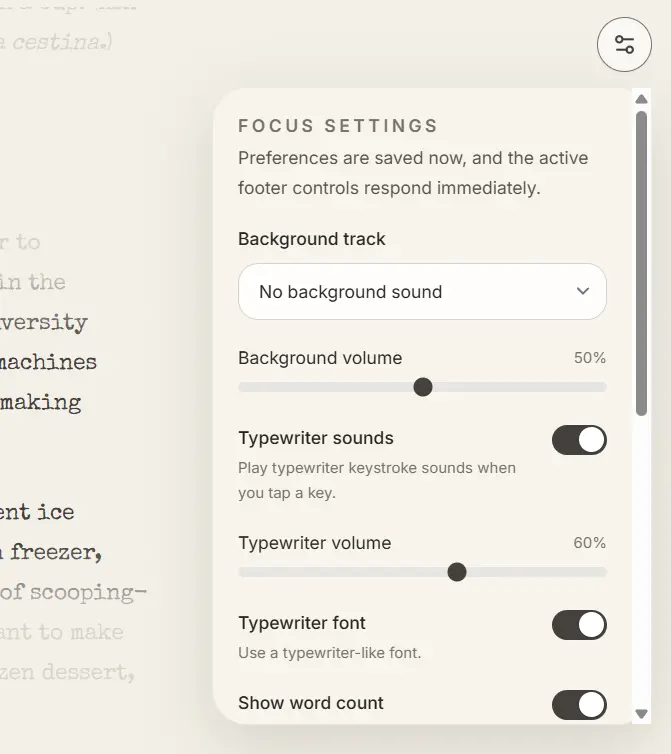
Background audio, typewriter touches, footer stats, dimming, centered scrolling, and session tracking live in one saved settings panel.
Typewriter sounds
Play keystroke sounds while you type.
Typewriter font
Switch to the Special Elite feel.
Typewriter scroll
Keep the active line centered.
Focus dimming
Dim everything except nearby lines.
Session timer
Show time and words written this session.
Ambient footer
Keep stats visible only when they help
Word count, readability, and session progress sit in low-contrast floating pills. You can show them, hide them, or let them auto-hide with the rest of the UI.
Session summary
End each session with a quick, satisfying recap
When you leave Focus Mode, Gorby can show a subtle summary toast with how many words you wrote and how long you stayed in the session. It’s a simple way to see what you got done.
Everything you can tune inside Focus Mode
Focus Mode is built for different kinds of writers. Some want a silent blank room. Others want rain, key clicks, a typewriter font, a centered cursor, and just enough stats to stay grounded.
Background tracks
Choose from rain, white noise, brown noise, forest, cafe, fireplace, or no background sound at all, then fine-tune the volume.
Typewriter feedback
Add keystroke audio, adjust its volume, and switch to the Special Elite typewriter font when you want the page to feel more tactile.
Focus shaping
Enable typewriter scroll to keep the active line centered and turn on focus dimming to darken text away from the cursor so your eyes stay close to the work in progress.
Ambient stats
Toggle word count, readability, auto-hide footer stats, and the session timer individually so the interface matches how much feedback you want.
Why writers use Focus Mode
It is designed to reduce friction without turning the writing session into a dashboard.
Stay in one document
Enter Focus Mode without moving your text into a separate tool or breaking your editing flow.
Shape the atmosphere
Use sound, typography, dimming, and movement to make the writing space feel more like a room and less like a utility.
Measure quietly
Check time, word count, and readability when you need them, then let them fade back into the background.
Reduce distractions
With auto-hidden controls, centered writing, and nearby-line dimming, attention stays on the sentence you are shaping right now.
Ready to write with fewer interruptions?
Open your current draft, step into Focus Mode, and turn Gorby into a calmer writing space with just the controls you actually want nearby.