Features

Explore what Gorby can do

A full look at the writing, editing, and analysis tools inside the app. Click any screenshot to open a larger preview.

Checks

Write better

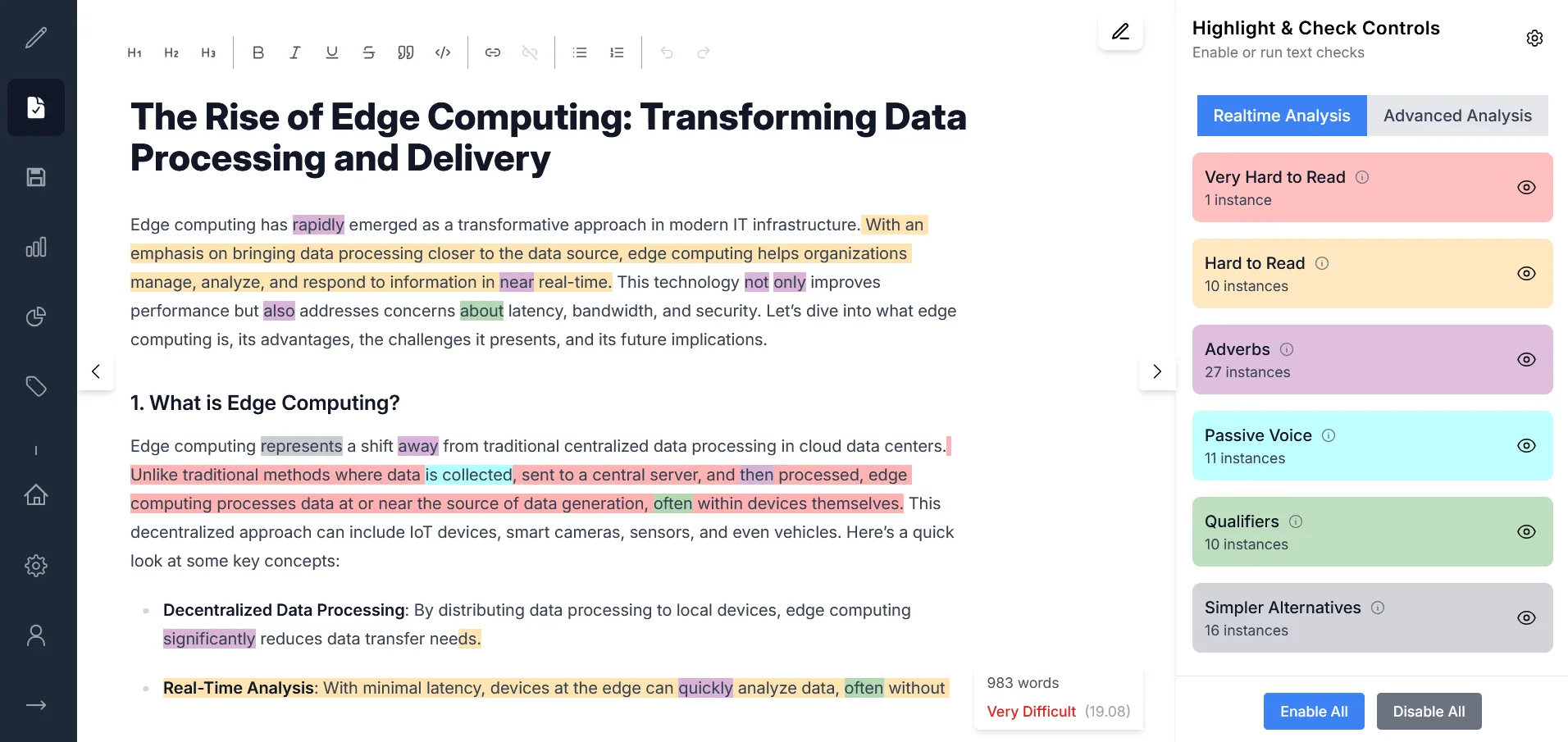
Text Checks and Highlights

Surface the clarity problems that quietly drag down a draft. Gorby automatically highlights hard-to-read sentences, passive voice, and adverbs in real-time as you write. When you are ready for a deeper analysis, you can run advanced checks to further refine your work.

  • Instant feedback while you type
  • Advanced checks for repetition, cliches, acronyms, and SEO
  • Custom highlight colors, styles, and thresholds
Learn more
Screenshot of text checks and highlights feature
Focus

Find your flow

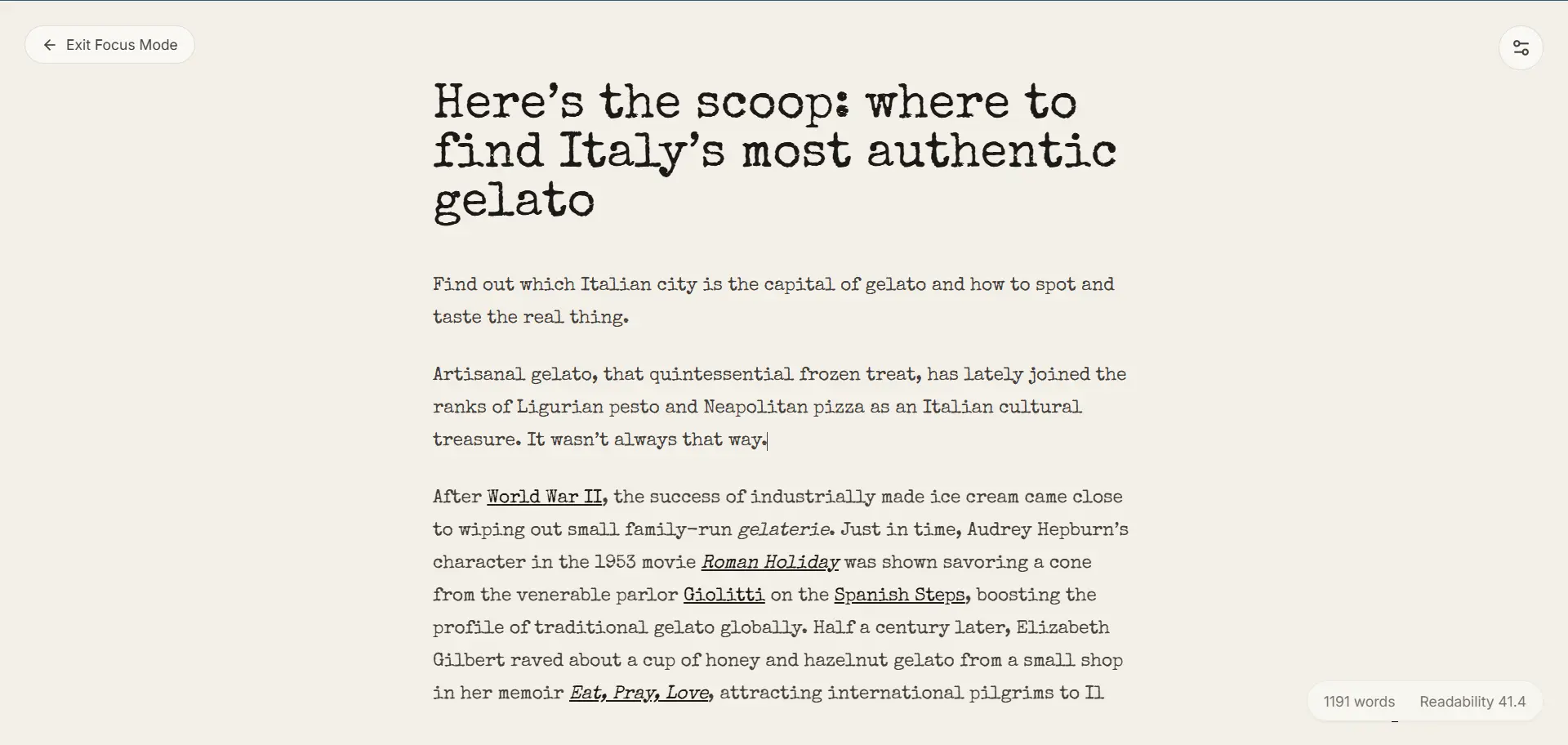
Focus Mode

Step into a calmer full-screen writing space when you want fewer interruptions. Focus Mode keeps you in the same document while adding ambient audio, centered scrolling, focus dimming, and subtle session feedback.

  • Distraction-free full-screen view for the same draft
  • Optional background sound, typewriter touches, and auto-hidden controls
  • Session timer, words-written tracking, and a quick wrap-up summary
Learn more
Screenshot of Focus Mode full-screen writing view
Scores

Know your audience

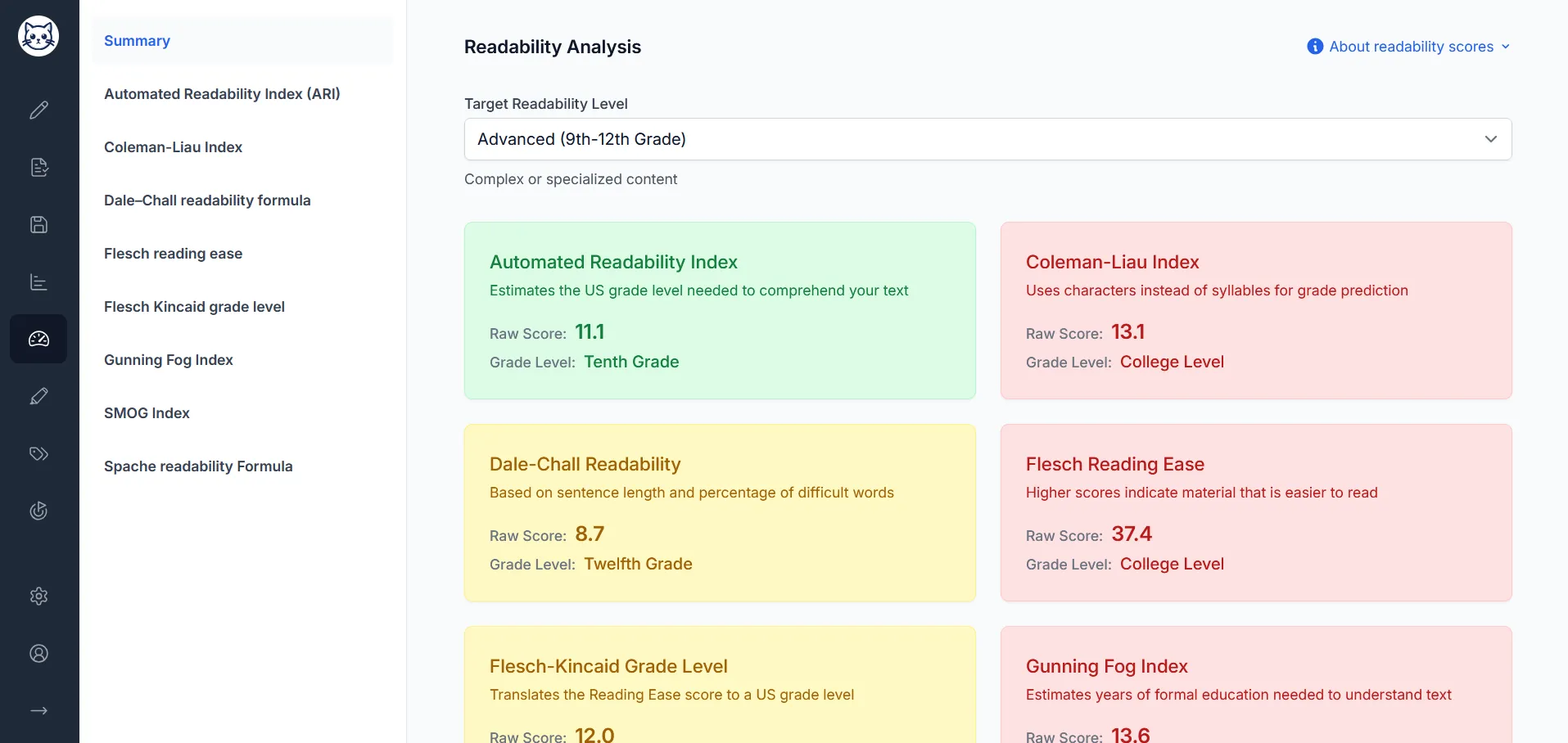
Readability Scores

Check whether your writing actually matches the audience you have in mind. Gorby calculates multiple formulas so you can compare complexity from more than one angle.

  • Includes ARI, Flesch, Gunning Fog, SMOG, Dale-Chall, and more
  • Shows difficulty and education level expectations
  • Useful for essays, articles, docs, and public-facing content
Learn more
Screenshot of readability scores feature
Rhythm

Shape the rhythm

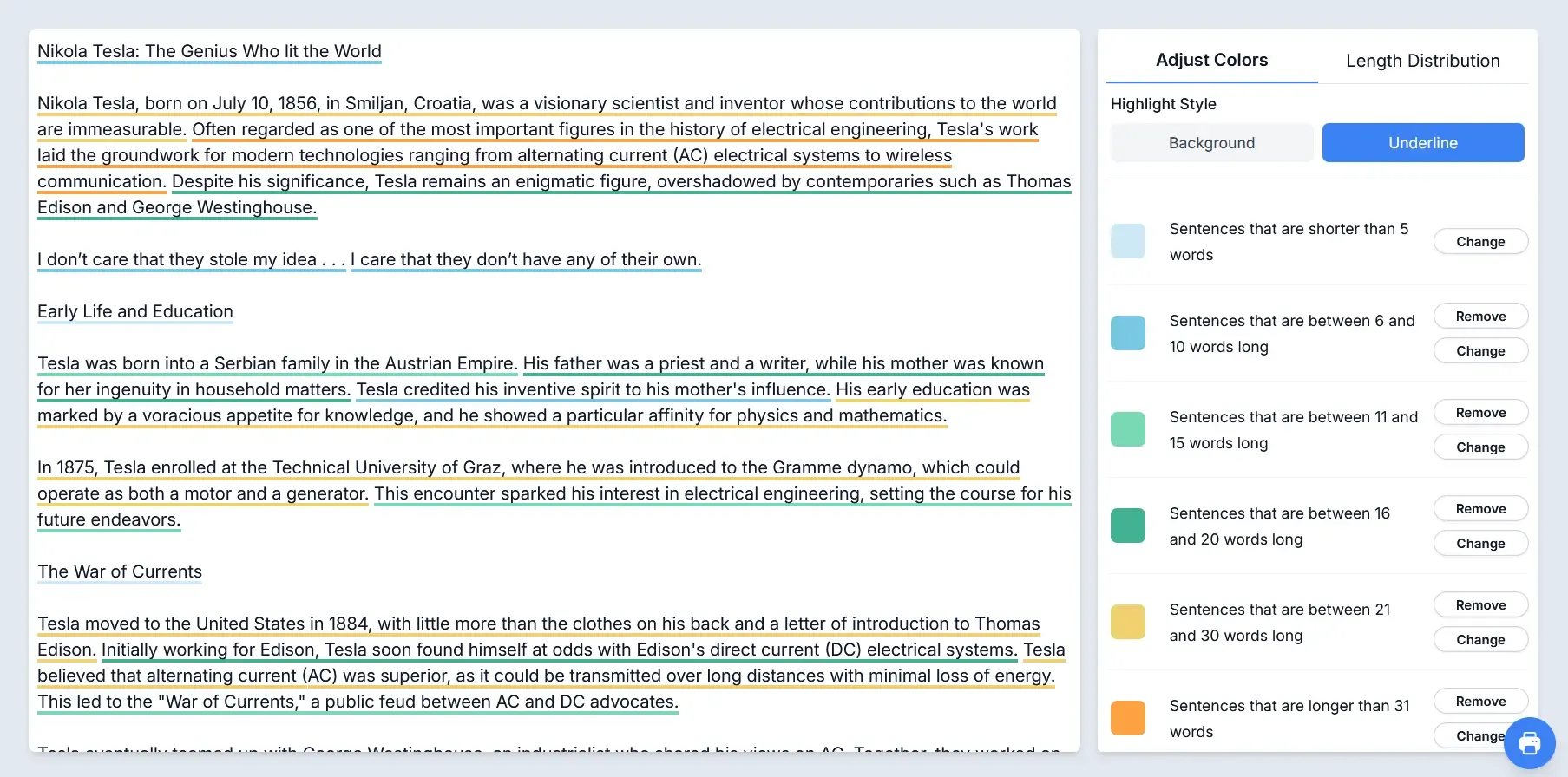
Sentence Highlighter

Color-code your draft by sentence length to spot monotony, easily identify overly long sentences, and find passages that need a cleaner cadence.

  • Create your own sentence-length ranges
  • Assign custom colors for faster scanning
  • Adjust or remove ranges as your draft evolves
Learn more
Screenshot of sentence highlighter feature
Reports

See the whole picture

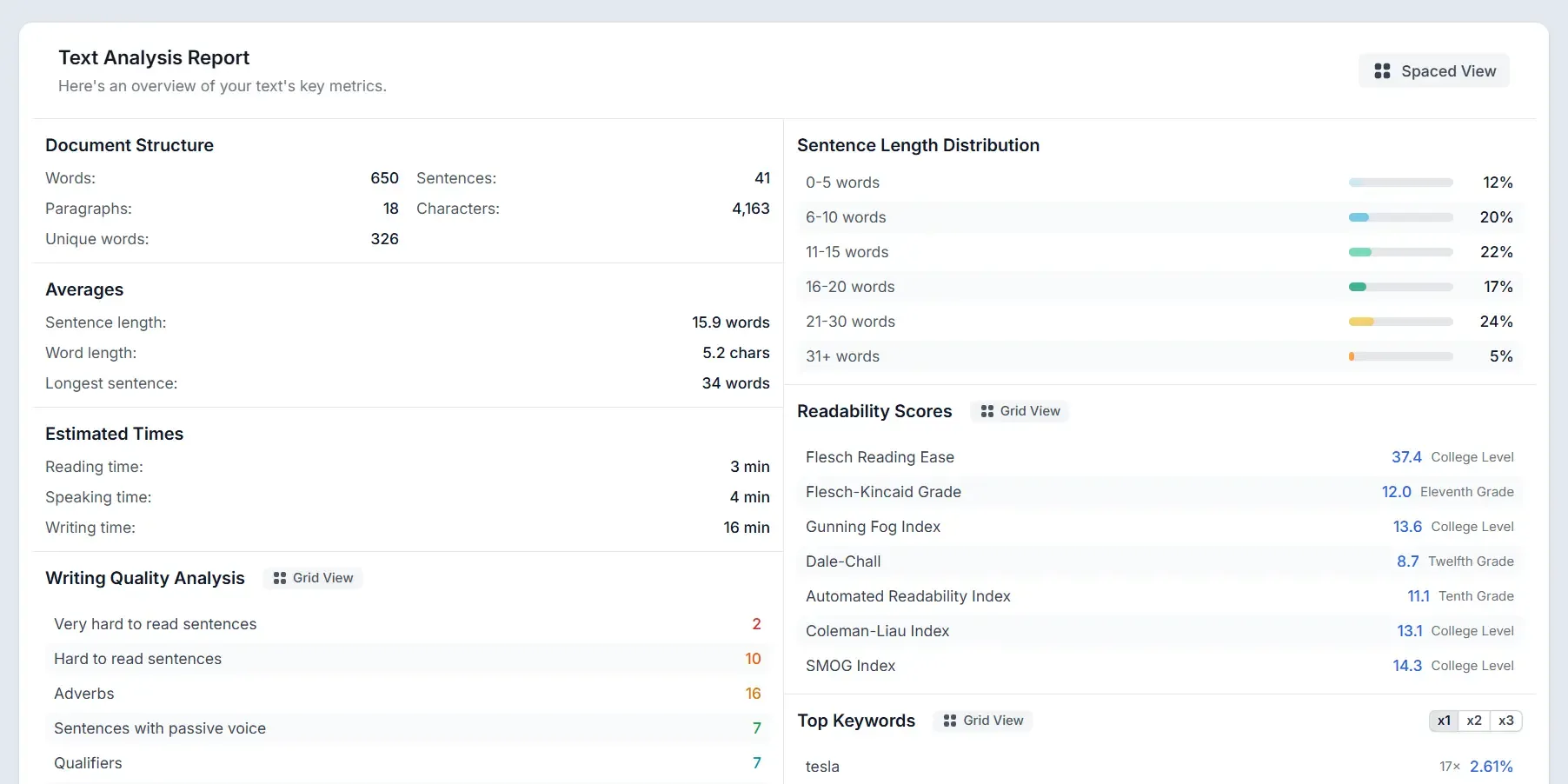
Text Analysis Reports

Pull your most important writing signals into one place. Reports bring together readability, quality checks, keywords, and sentence distribution so you can diagnose a draft fast.

  • One dashboard for readability, checks, and keywords
  • Sentence-length distribution for pacing and flow
  • Quick overview before editing or publishing
Learn more
Screenshot of the Text Analysis Report Dashboard
Stats

Measure the draft

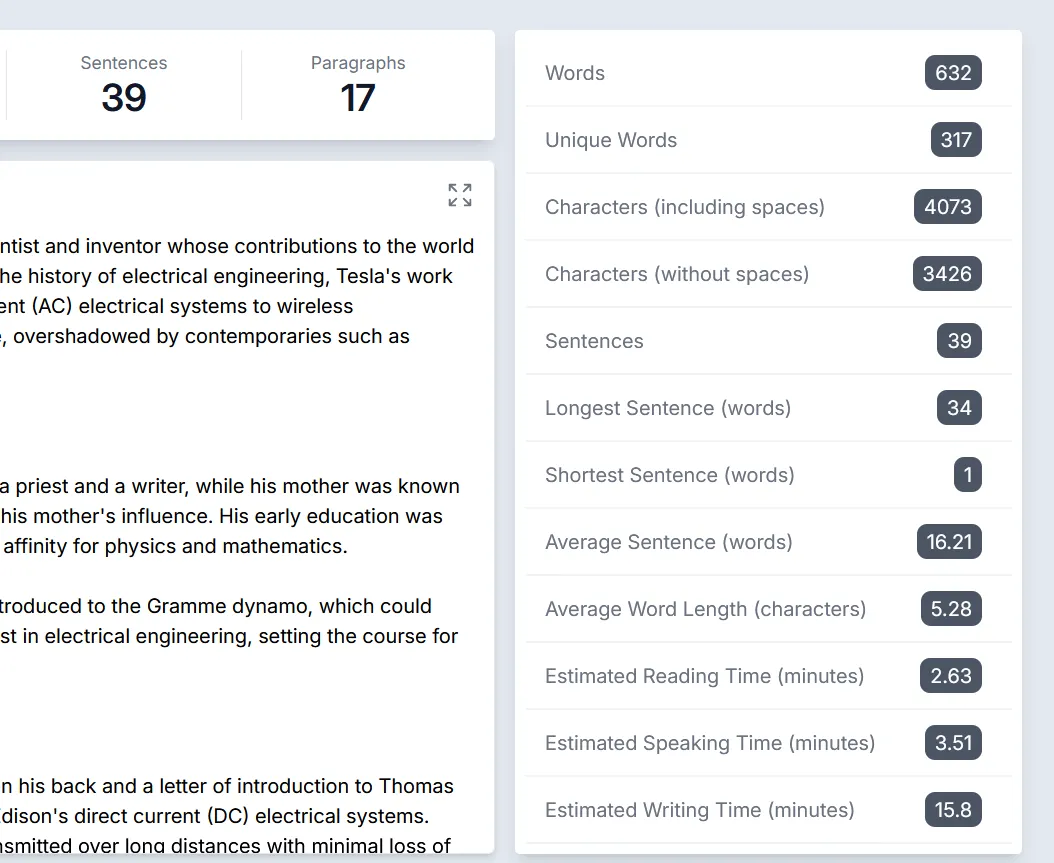
Text Statistics Overview

Get the numbers behind your writing at a glance, from word count and sentence length to estimated reading, speaking, and writing time.

  • Words, characters, sentences, and paragraphs
  • Longest, shortest, and average sentence lengths
  • Estimated read, speak, and write times
Learn more
Screenshot of Gorby statistics sidebar
AI

Polish with AI

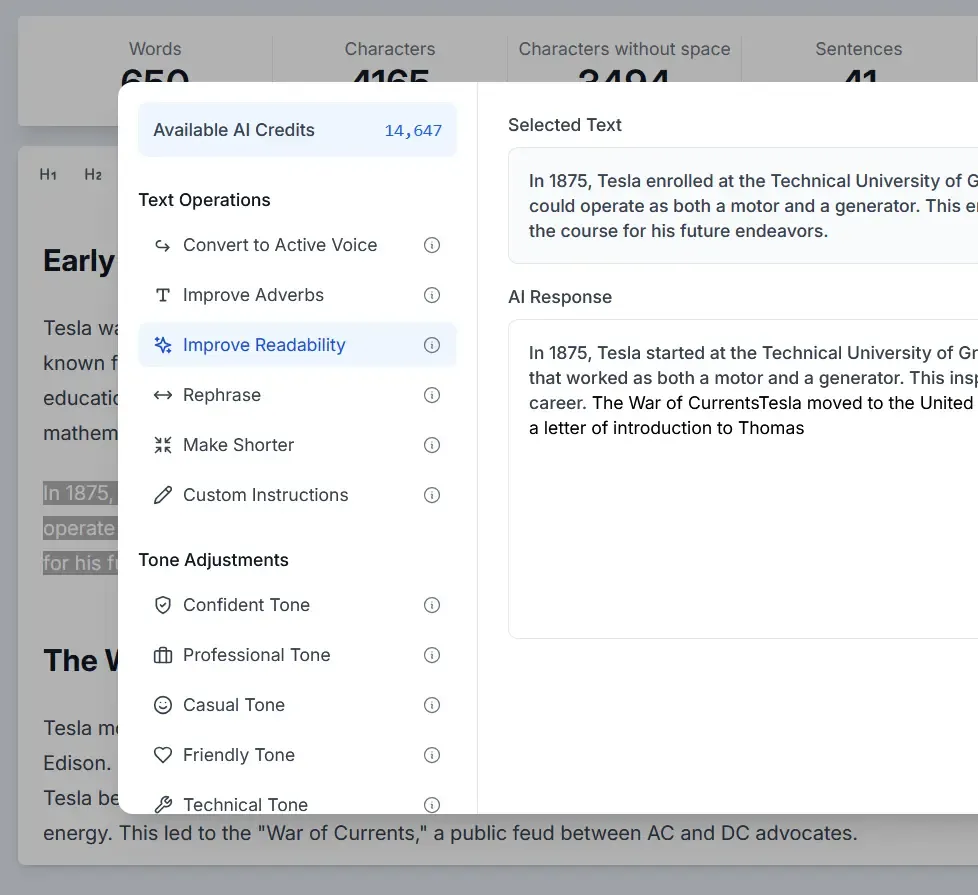
AI Writing Assistant

Improve tone, clarity, and structure without losing your original meaning. The AI tools are built for targeted revision passes, providing smart text transformations that improve your writing.

  • Rewrite awkward or passive phrasing
  • Shift tone for professional, technical, or casual writing
  • Use custom instructions for targeted edits
Learn more
Screenshot of AI writing features

More tools

Plus the smaller features that keep momentum up

Once the big revision passes are done, these tools help you keep the draft organized, listenable, and ready for the next step.

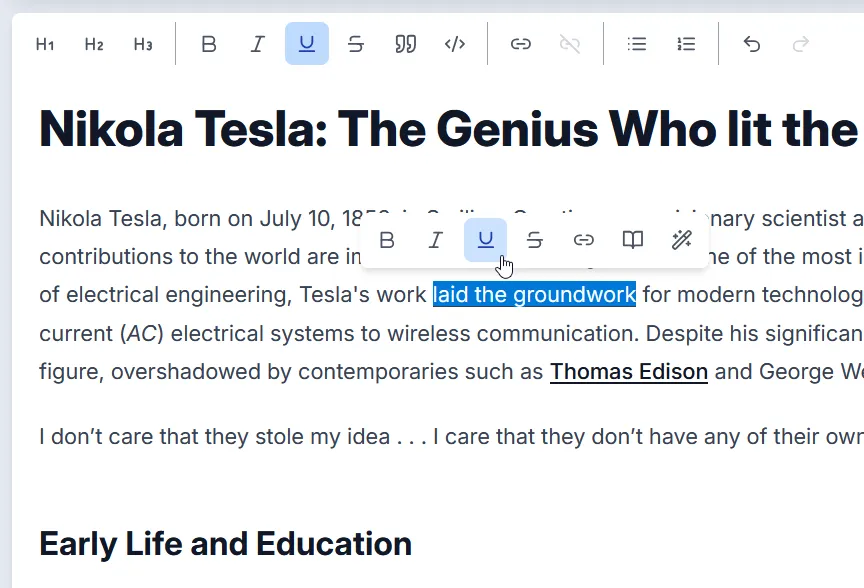
Screenshot of rich text formatting options

Rich Text Formatting

Format

Structure long drafts with headings, lists, links, quotes, and inline emphasis tools.

  • Bold, italic, underline, and strikethrough
  • Lists, headings, links, and blockquotes
Learn more
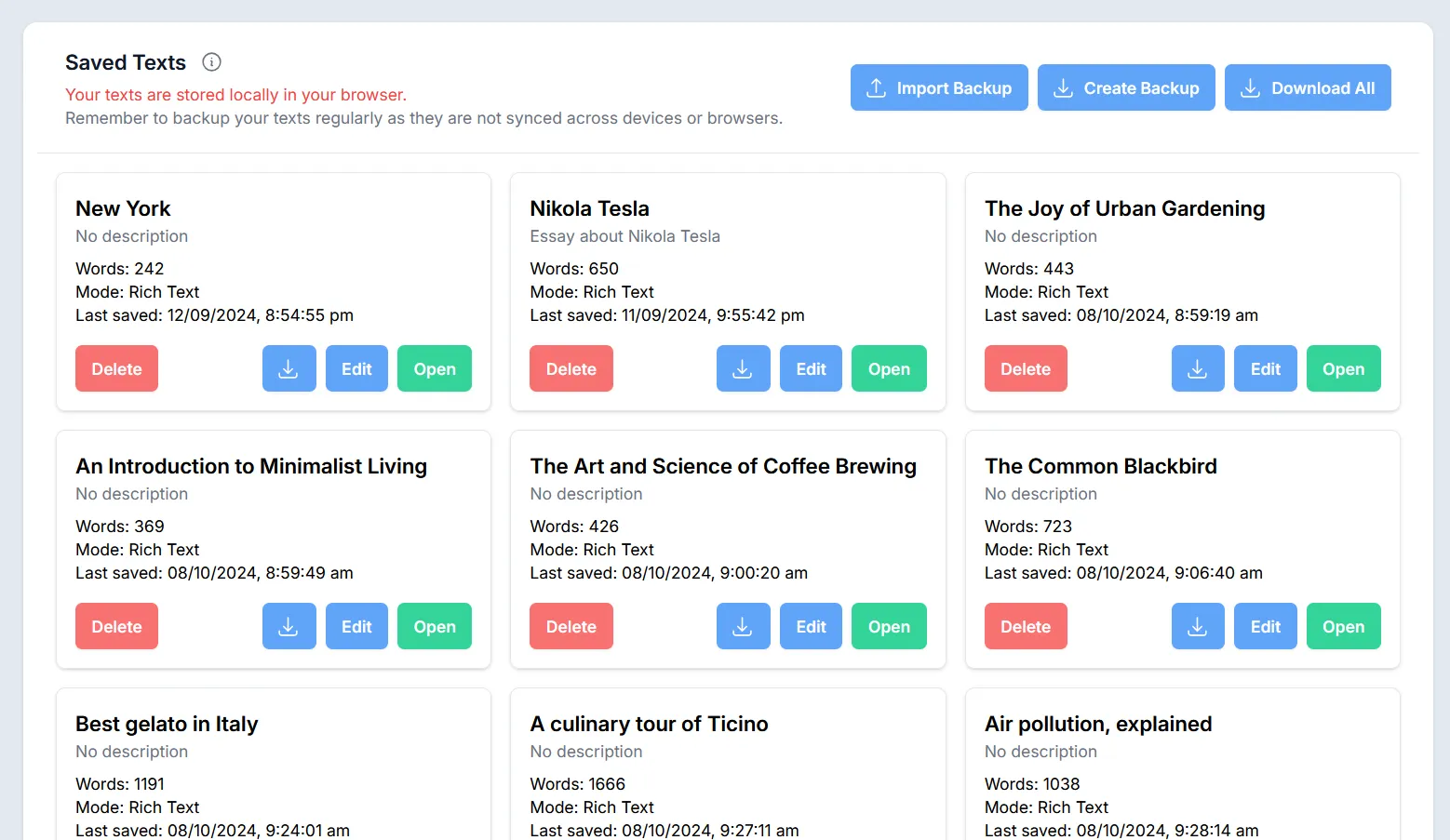
Screenshot of saved texts management view

Saved Texts

Storage

Keep multiple drafts organized locally in the browser, with titles, notes, and export options.

  • Local browser storage
  • Backup and Word export support
Learn more
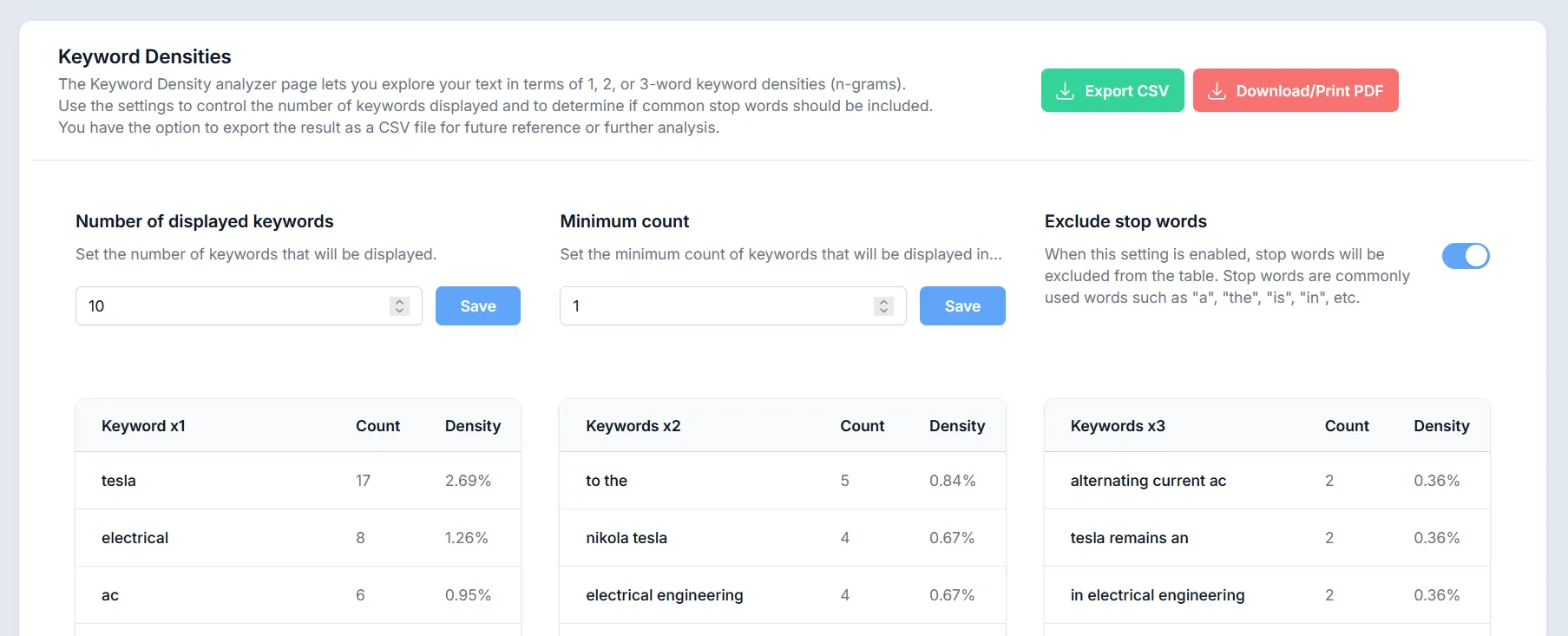
Keyword density analysis

Keyword Density Analysis

SEO

See the terms that dominate your draft, including 1-word, 2-word, and 3-word phrases.

  • N-gram analysis up to 3 words
  • Stop-word filtering and display controls
Learn more
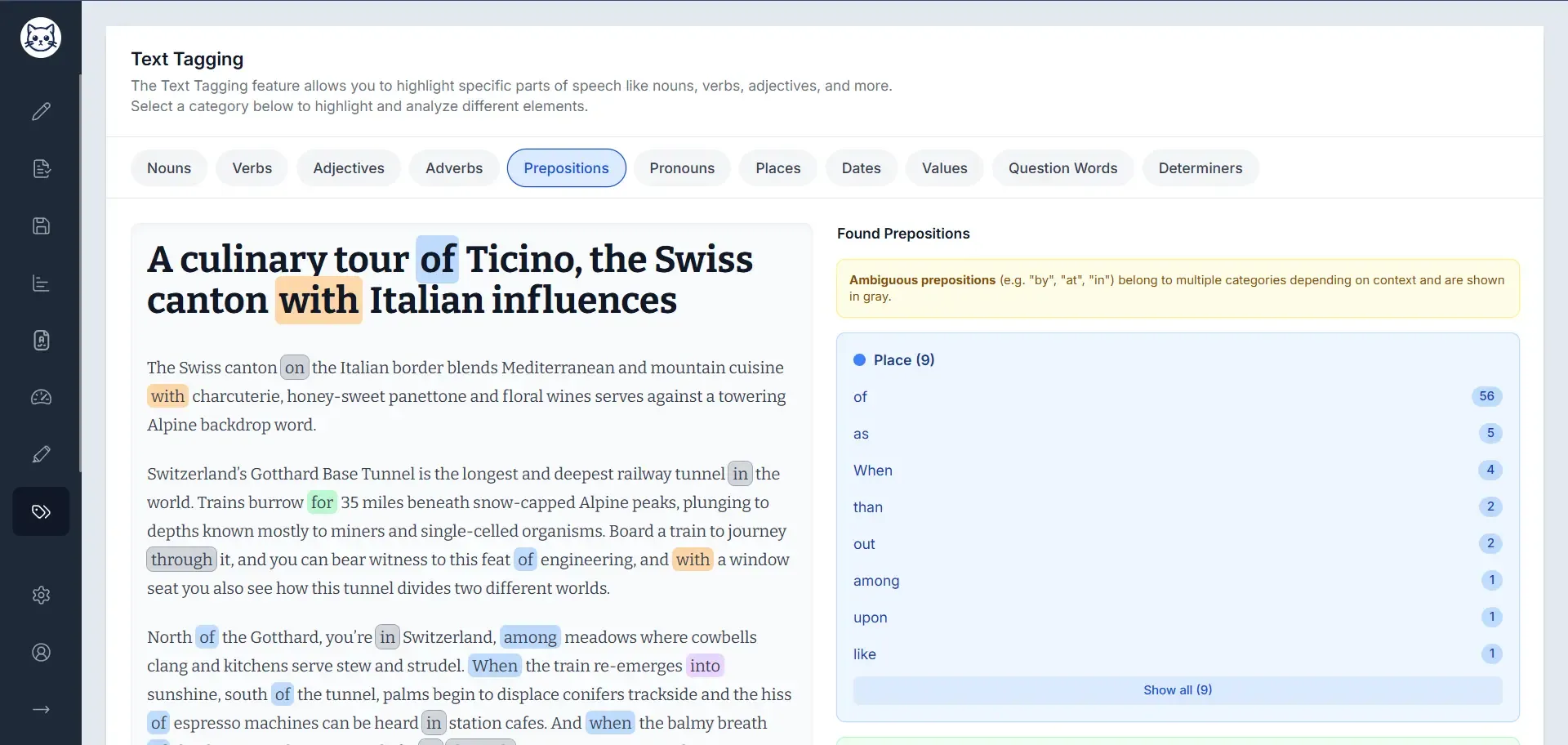
Screenshot of text tagging feature

Parts of Speech

Tagging

Inspect how your writing is built with part-of-speech tagging across nouns, verbs, adjectives, and more.

  • Real-time POS highlighting
  • Instant composition counts
Learn more
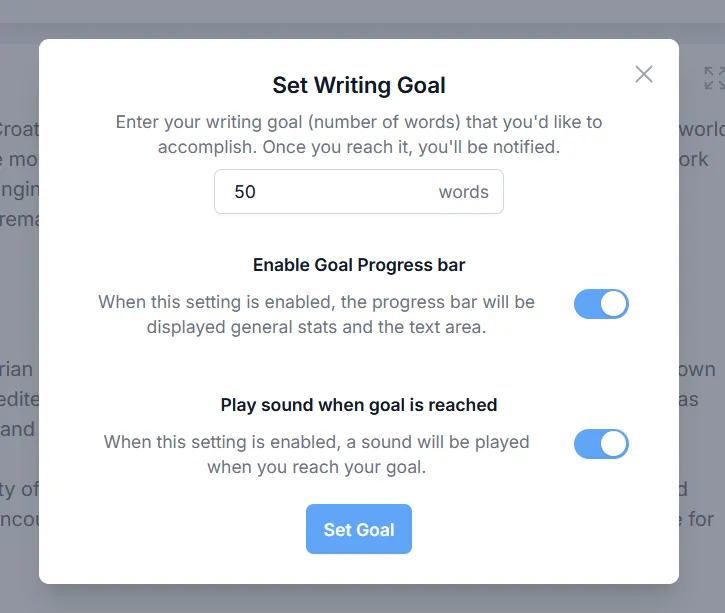
Screenshot of setting writing goals feature

Writing Goals

Goals

Set a target and let the progress bar push you through the final stretch of a session.

  • Custom word-count targets
  • Progress bar and completion sound
Learn more
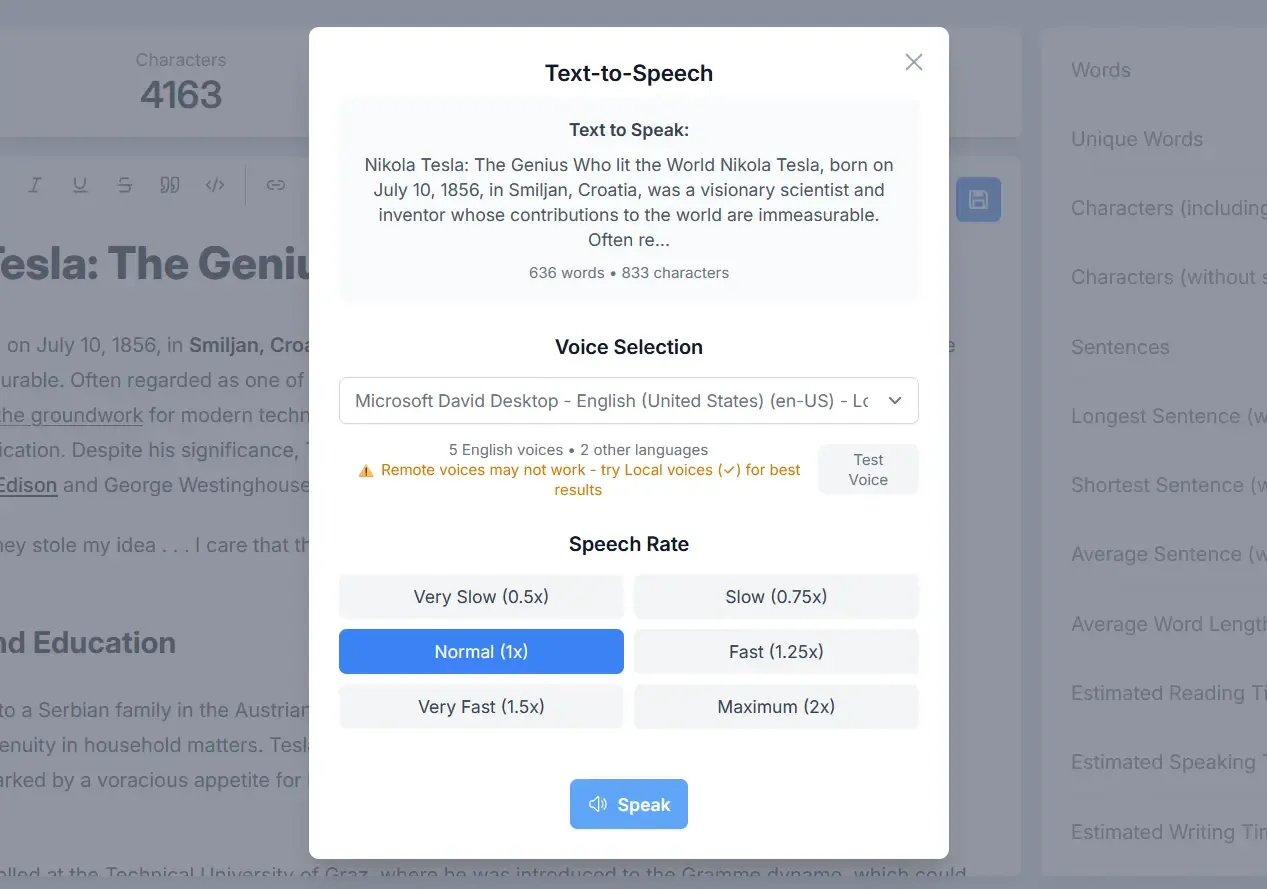
Screenshot of text-to-speech interface with voice and speed controls

Text-to-Speech

Audio

Listen back to your draft to catch awkward phrasing, pacing issues, and sentences that only work on screen.

  • Read the full draft or selected passages
  • Choose voices and adjust playback speed
Learn more